Adaptive Reuse / Accessory Structure
Sheet A-001 / Cover
Barn
to Workshop
An existing llama barn I gutted, re-planned in Rhino 3D, and rebuilt with my family into a working studio, now documented as a professional AutoCAD construction set. Every dimension traces back to a wall I helped raise.
CONCEPT → CONSTRUCTION → DOCUMENTATION
Project
Barn Workshop Conversion
Drawn By
Kelly Borrello
Design Tool
Rhino 3D
Documented In
AutoCAD
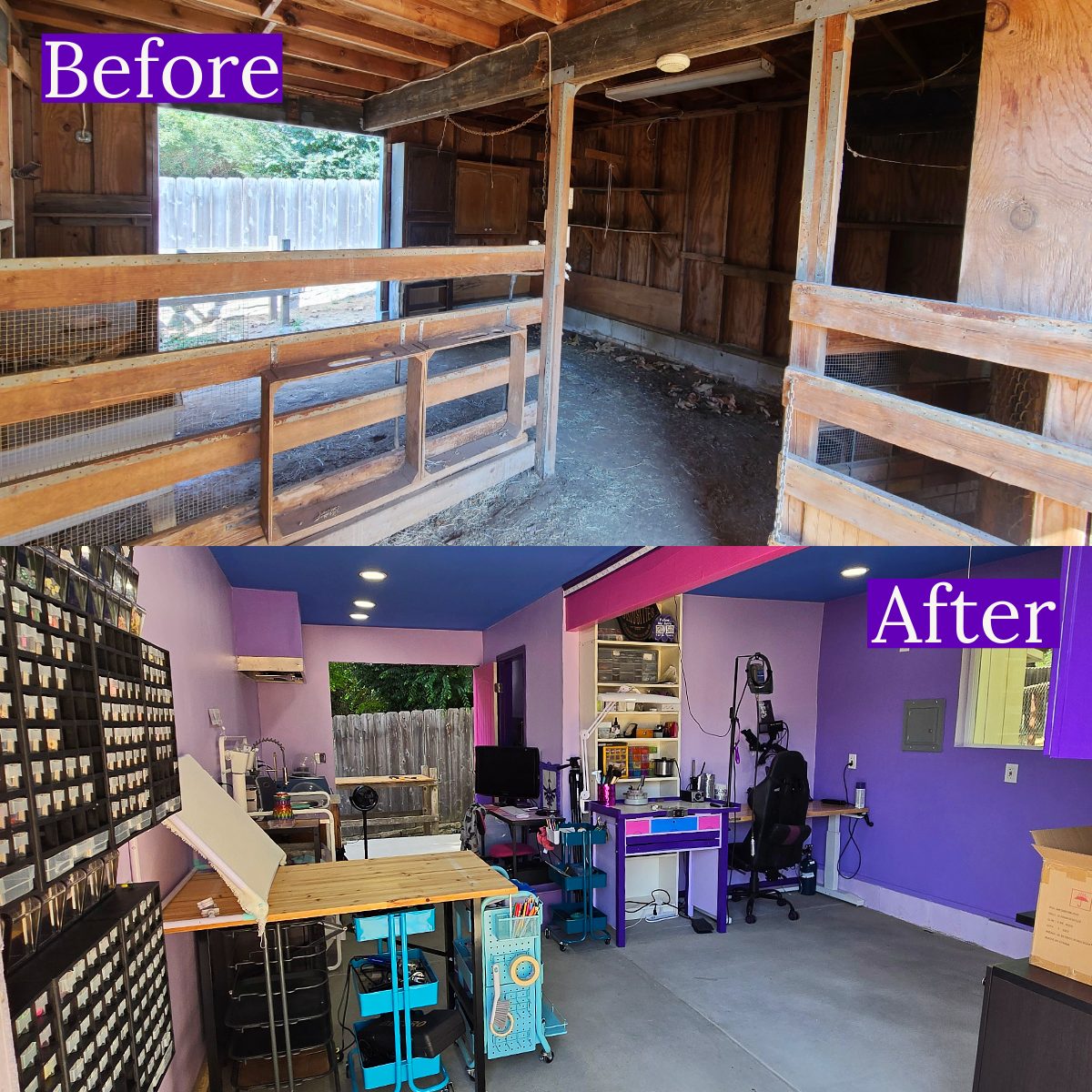
Role
Designer · Builder · Drafter
Structure
Existing barn · adaptive reuse
Location
San Diego County, CA
01
The Project
01 · Planned it
Modeled first
The shell was an existing llama barn on our property. I modeled it in Rhino 3D and designed the conversion, testing the layout before a single wall went up.
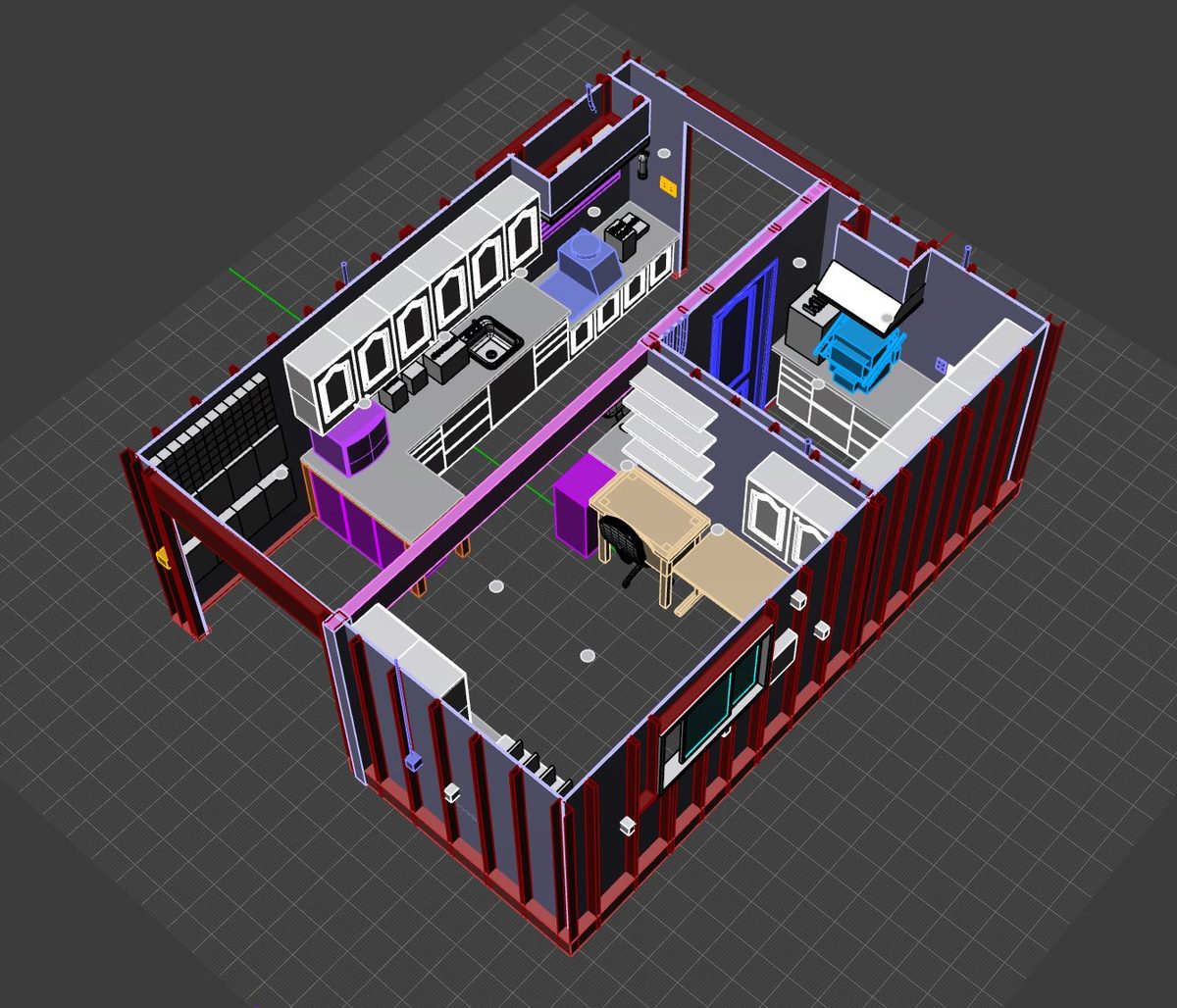
RHINO MODELCONCEPT
02 · Rebuilt it
Gutted and rewired
Replaced the termite-damaged support beam, framed a partition for the tool room, and ran all the electrical and low-voltage conduit with my dad. I know how this building goes together because I put it together.
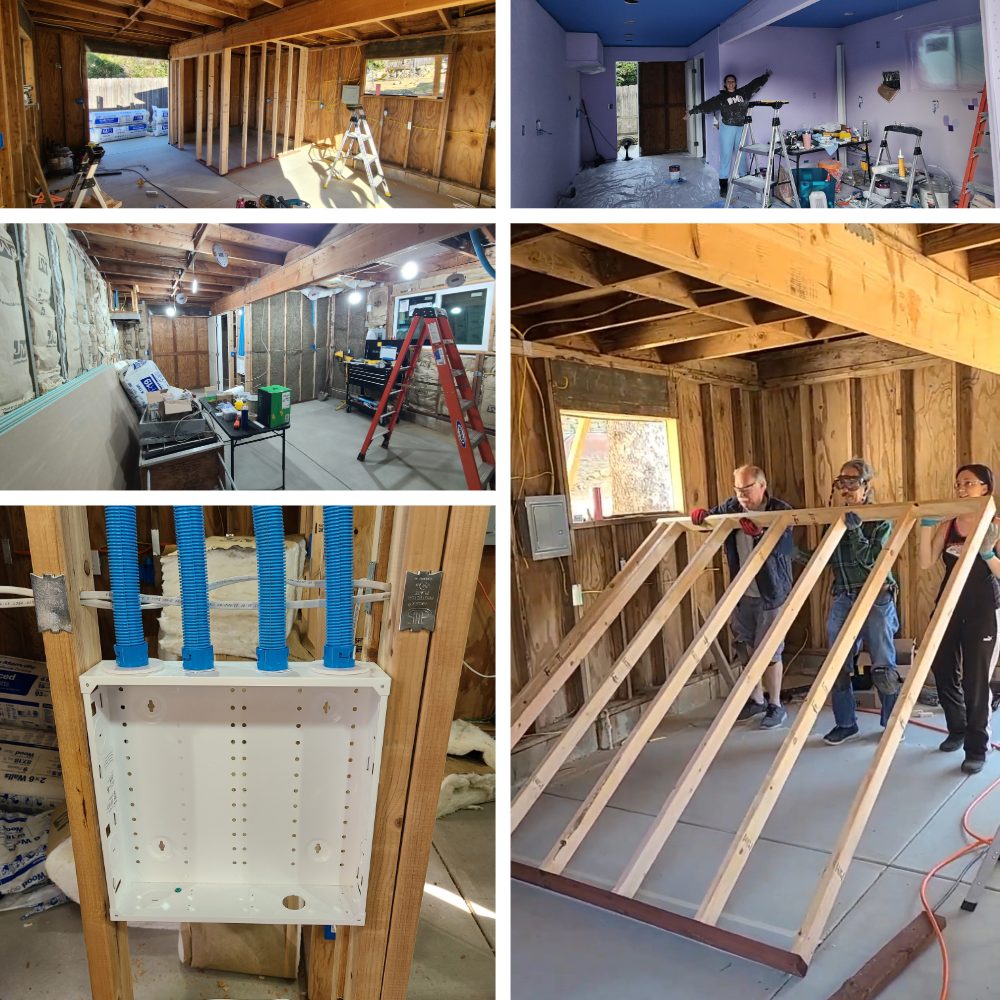
BUILD PROCESSCONSTRUCTION
03 · Documenting it
Drafted for real
Now I translate the model into a coordinated AutoCAD set, one sheet at a time, as I complete each VDCI construction-documents course.
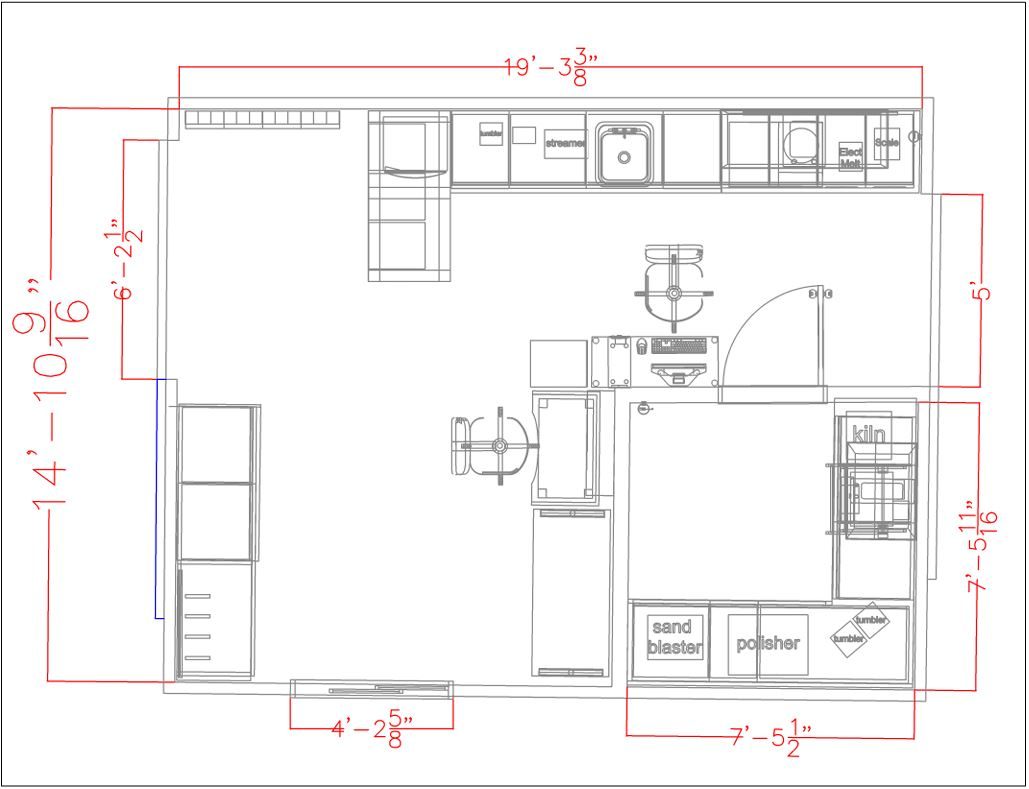
DIMENSIONED PLANDRAFTING
Self-Performed
- Gutted the barn and cleared it to bare structure
- Replaced the termite-damaged main support beam
- Dug the trench for the service run to the house
- Ran all electrical, outlets, and lighting with my dad
- Framed the tool-room partition and hung the interior door
- Ran smurf tube conduit for future low-voltage wiring
- Installed ventilation fans for fume control
- Painted throughout
Coordinated With Trades
- Concrete floor poured by a contractor
- Main electrical service to the house run by an electrician
- Drywall and ceiling by a finisher, tools we did not own
- New window installed by the same finisher
02
Sheet Index
SheetTitleSkill SourceStatus
A1.1
Existing Conditions & Demolition Plan
Self-directed
In Progress
A2.1
Floor Plan
Rhino 3D model
Issued
A3.1
Exterior Elevations
CAD 301
In Progress
A4.1
Interior Elevations
Rhino 3D model
Issued
E1.1
Power & Lighting Plan
Rhino 3D model
Issued
A5.1
Building & Wall Sections
CAD 302
Queued
A8.1
Architectural Details
CAD 304
Queued
BIM
Revit Model & Coordinated Views
Revit / BIM Track
Queued
03
The Drawing Set
Phase 01 · Sheets issued · more on the way
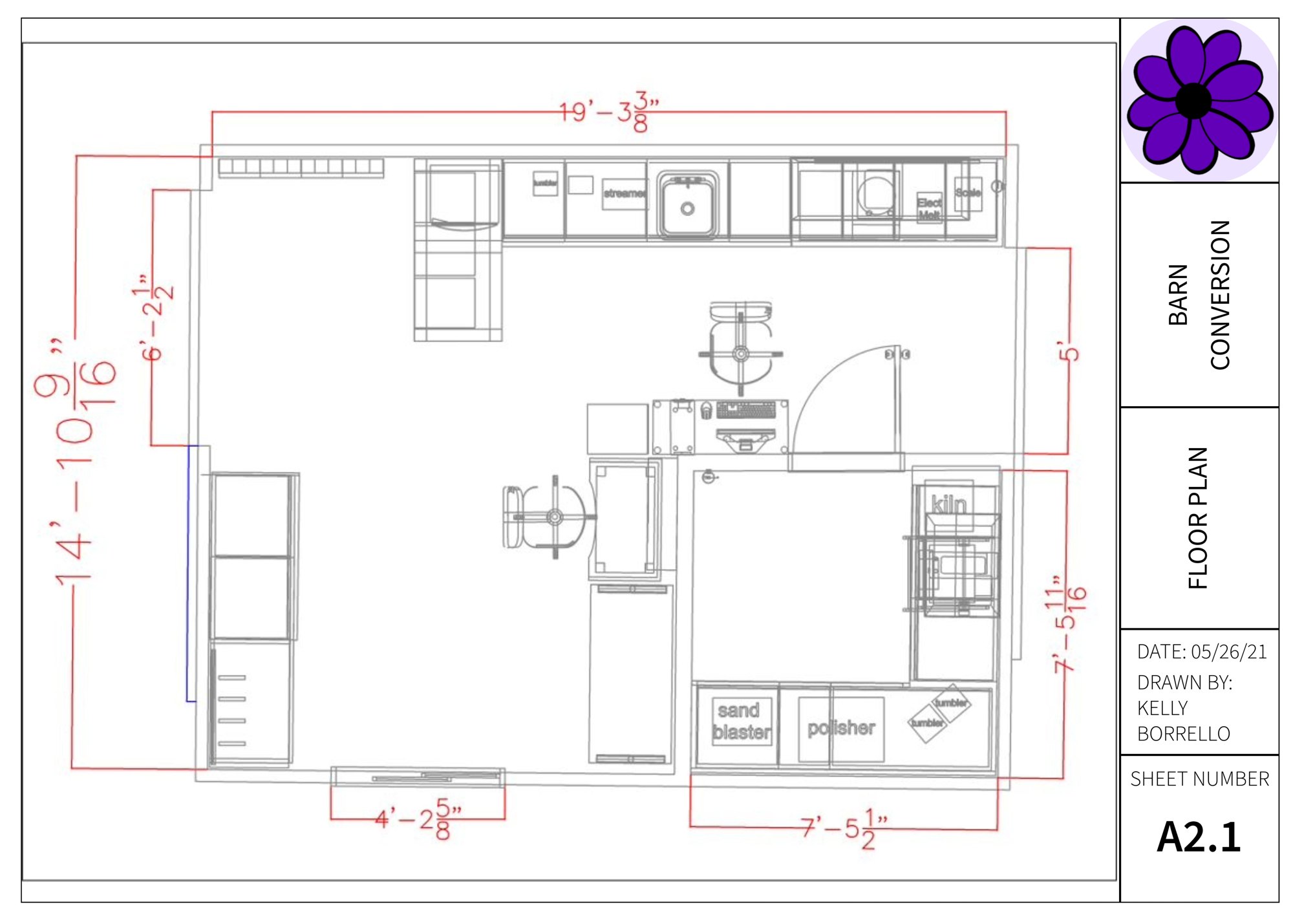
A2.1 · FLOOR PLANISSUED
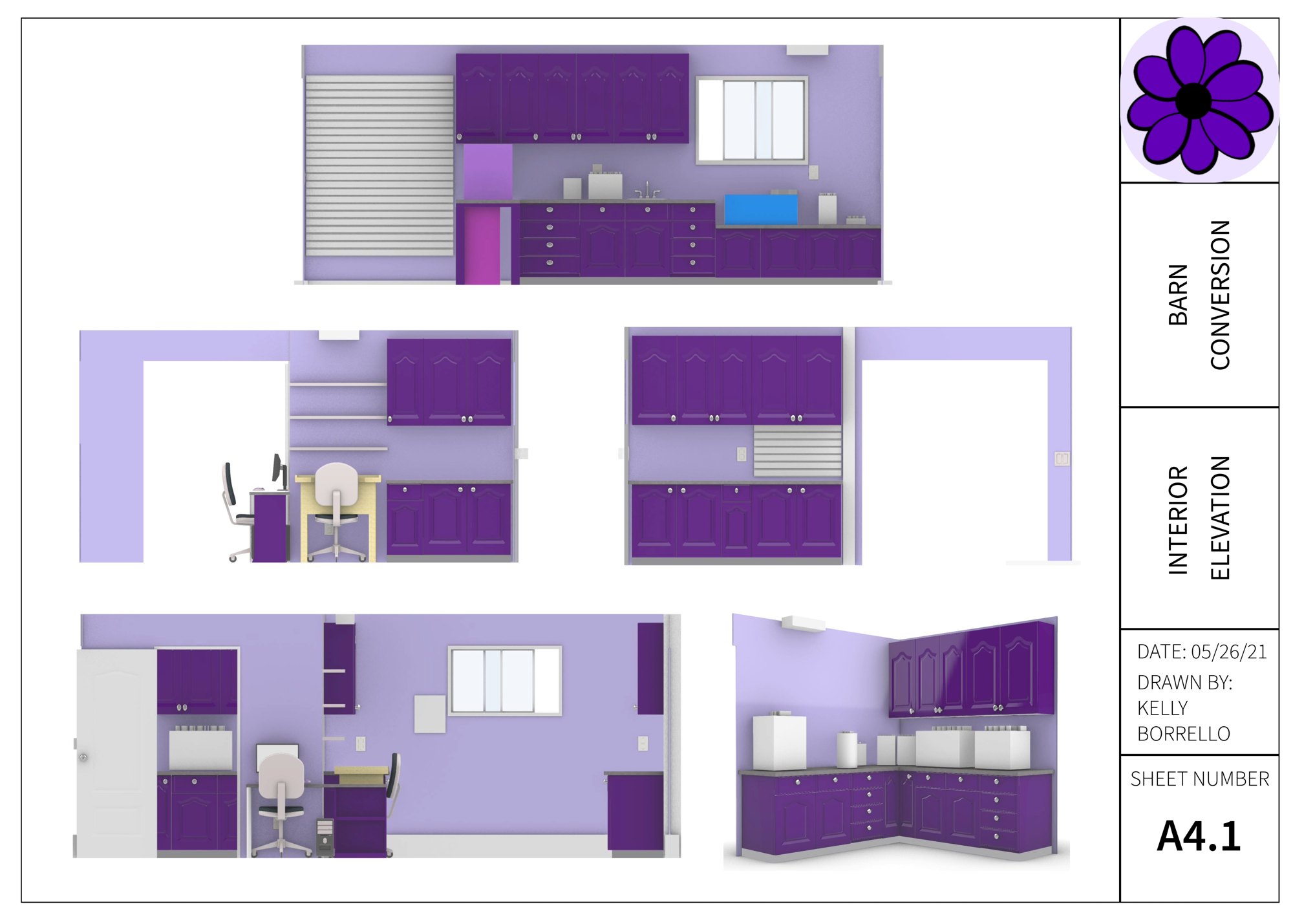
A4.1 · INTERIOR ELEVATIONSISSUED
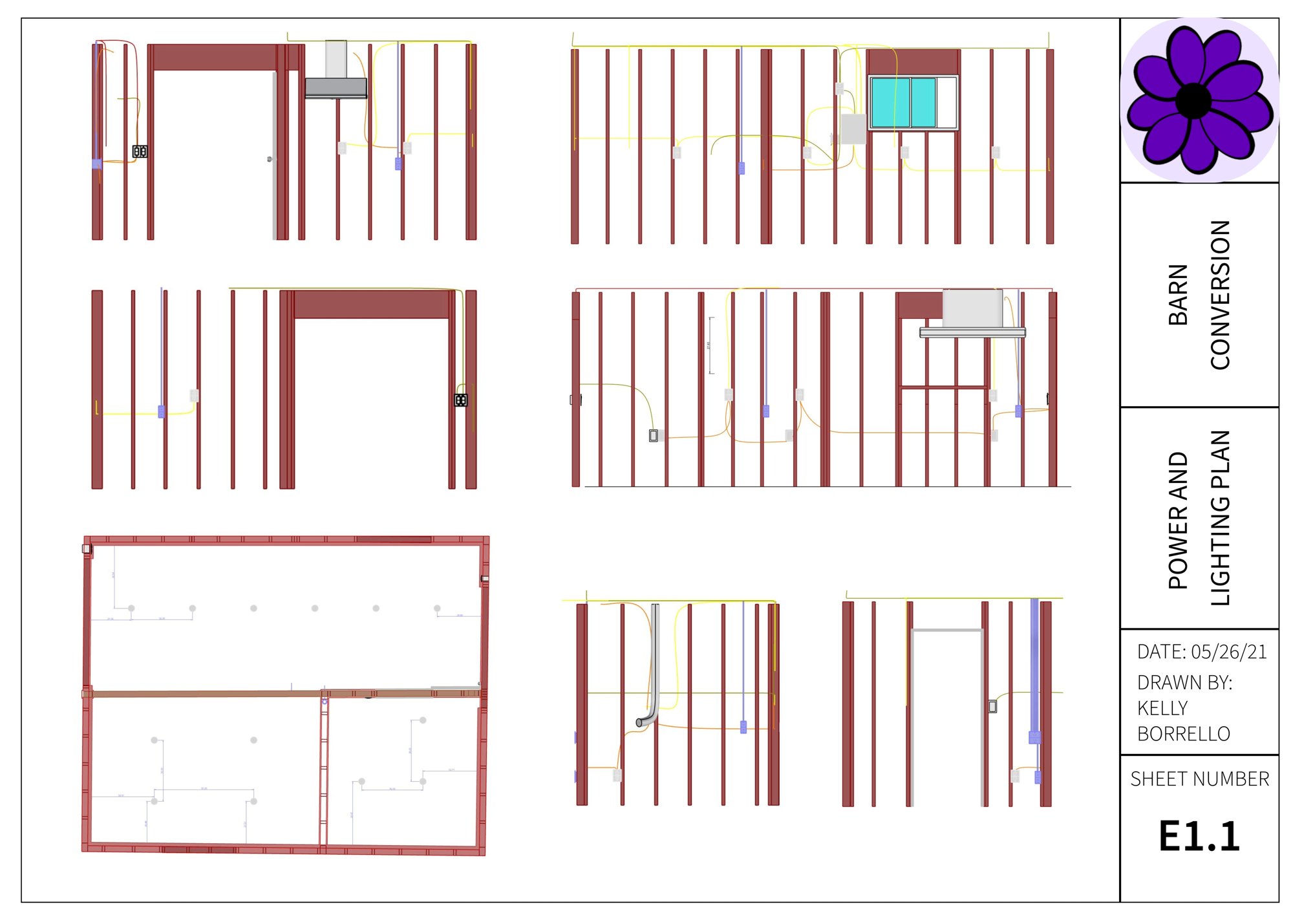
E1.1 · POWER & LIGHTINGISSUED
A1.1 Existing Conditions · Coming Soon
Phase 02+ · Coming as I finish each course
Next · CAD 302
Coordinated CD Set
- Building sections and wall sections
- General notes and keynote legend
- Referenced files across a multi-sheet set
- Model and layout space, plotted to scale
Then · CAD 304
Architectural Details
- Tool-room partition wall assembly
- Low-voltage conduit rough-in detail
- Ventilation fan mounting detail
- Details I can draw because I built them
Capstone · Revit / BIM
BIM Model
- The workshop rebuilt as a parametric model
- Plans, sections, elevations from one model
- A door or window schedule
Throughout
Process Story
- Rhino renders paired with as-built photos
- Model measurement vs. field measurement
- The full concept-to-construction arc
04
Skills Shown
01
2D drafting and precision drawing
02
Layer management and CAD file organization
03
Dimensioning and annotation
04
Title block built from scratch
05
Existing conditions and demolition plans
06
Power and lighting plan drafting
07
Model and paper space, plotting to scale
08
Rhino 3D modeling and rendering
09
Hands-on construction literacy
Prepared By
Kelly Borrello
CAD Drafter · Rhino 3D + AutoCAD